Posts

Showing posts with the label Remote

How to Make Windows Service Using C# 2008
Image
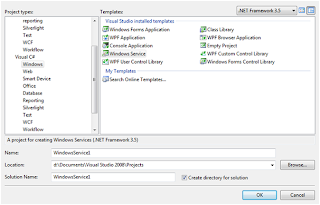
I have an task to run a Stored procedure after every 30 minutes. My first choice is to create a job on Sql server. But I also have to write a log file along with the stored procedure. Now, my choice will be Windows service. Creating a windows service is a very easy task but how to deply...... let me explain how to work with windows service. Creating a program that can run in the background of the operating system has any benefits, this is very important as the program can run without a graphic user interface. Complex service that are to run are longer time, and without the need the user to login the system. Windows services are harder to develop, debug, and test. But if you software are to run in server that require to start up automatically with the server is turn on, Windows service is your choice. Creating your skeleton project in Visual Studio 2008 To create a Windows Service project in Visual Studio 2008, you must select from the Visual C# Windows Projects. Give your Windows Servi...

Remote Desktop Access: Team viewer, Remote, Desktop, Sharing, Files Sharing, Data Sharing, Team Sharing, Team Meetings

Image
In today’s world of technology remote desktop sharing has become a common way of working on remote pc’s or servers. We all know how to access Remote desktop, but what if I have to share my desktop to give a demo of application or module or anything. Suppose I have to give a simple demo to a friend, like how to create a Power Point Slides. Now, the first idea is to create a document or to create a pictorial document or create a video and upload to youtube.com or some other alternate. But here is the solution. You can use Team Viewer http://www.teamviewer.com/download/index.aspx Install team Viewer to both the PC (From where you have to access and to which you have to access) Ask for the Id and password of the machine which you want to access. Now enter ID into box and click connect to partner. If ask for password provide password. Now, you can view desktop of your partner or friend. You can also take control into your hand. You can also view more option like file transfer etc. For mor...